 My Fuel Dock
How My Fuel Dock works
A live fuel price board on your marina's website: set up in a few minutes,
kept up to date in seconds. Here's the whole story.
A live fuel price board on your marina's website: set up in a few minutes,
kept up to date in seconds. Here's the whole story.
Boaters want to know your fuel prices and discounts in advance. Most marina websites don't have it. Here's what changes.
The old way
The My Fuel Dock way
Three steps. Then a bonus.
Free account in 60 seconds. Just your marina name, email, and the URL of your website. We'll even read your website and pre-fill your address, phone, and hours.
Enter today's gas and diesel. Pick which board template you want. Use our auto-detected brand colors, or pick your own.
Copy a snippet of code from the portal. Paste it into your website wherever you want the board to appear, or email it to your webmaster.
And then…
The minute your board goes live, every premium feature unlocks for 21 days. No credit card. Just to let you try the whole thing before you decide.
Every marina website is laid out a little differently. As you can see below, we offer many ways to show your prices: seven different options you can embed on your website, one for mobile devices, plus a full-screen Marquee you open on a TV or tablet for wall signage. You can change your mind any time.
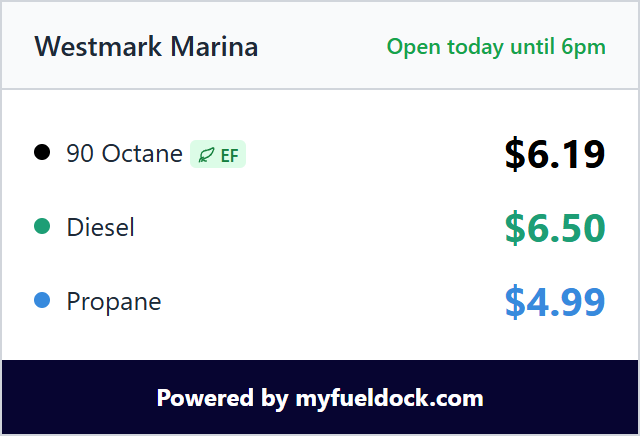
320 × 260px
The free tier: a clean vertical price list. Default colors, "Powered by myfueldock.com" footer.
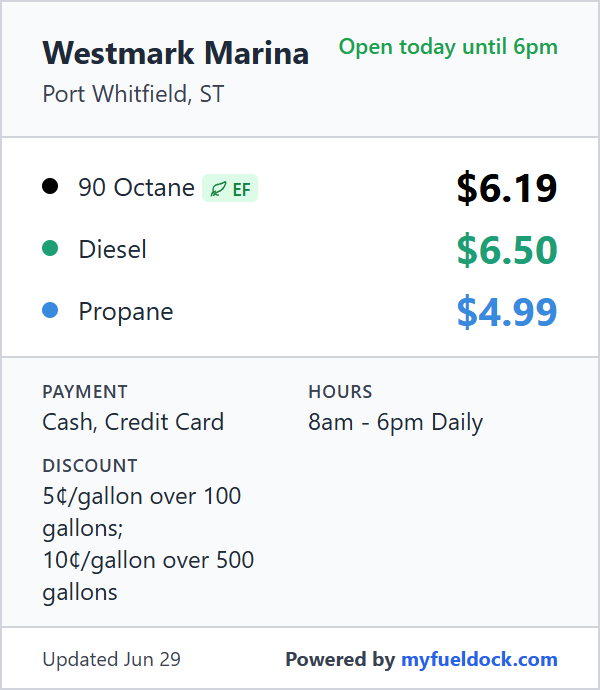
300px wide, gets taller with content
A configurable vertical card. Show only the prices, or fill it out with hours, payment methods, discounts, and an open/closed badge.

Full width
A horizontal strip across the top or bottom of a page. Marina name on the left, prices in the middle, branding on the right.
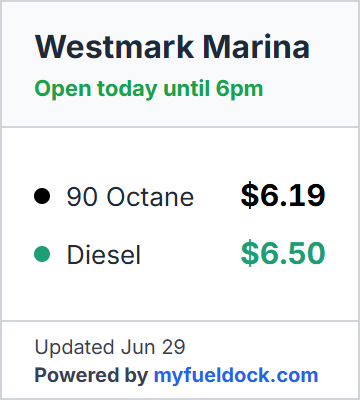
Resizable
A tall, narrow column that fits in the sidebar slot most marina websites already have.
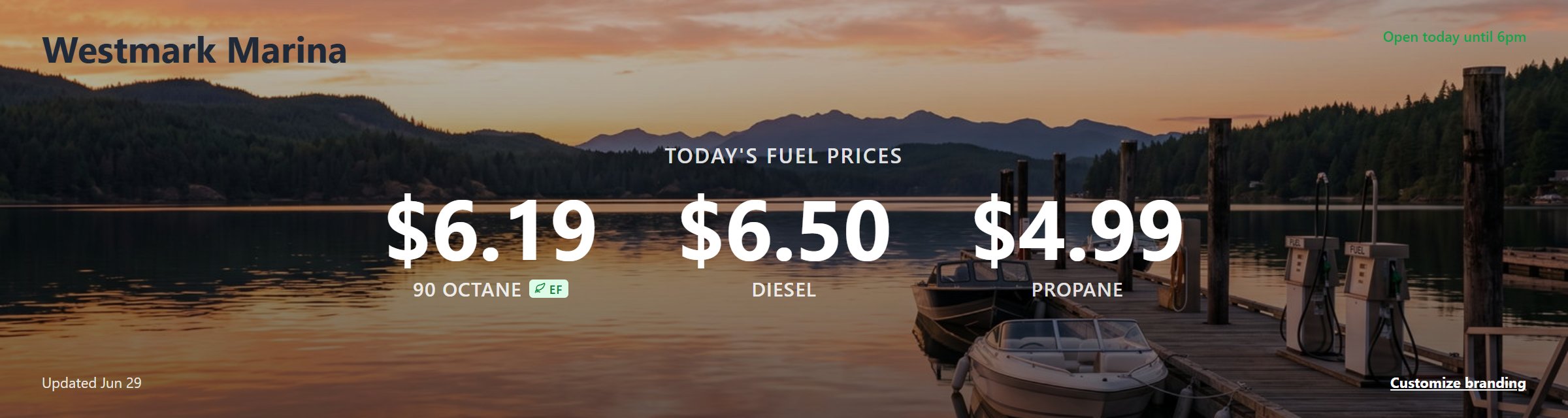
Full width
A big, photo-friendly homepage section that puts today's price front and center, optionally with a marina photo behind it.
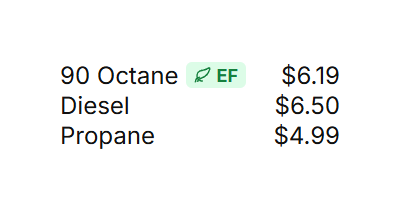
Any width
Just the words: fuel names and prices, in your typeface, your color, your size. No borders, no background. Drop it into a layout you already love.

Pinned to bottom of mobile screen
A slim strip that pins itself to the bottom of the screen on phones. Add it once from your dashboard and it shows up wherever your boards already are, no extra code. On phones it takes over the bottom of the screen and your in-page boards step aside automatically.
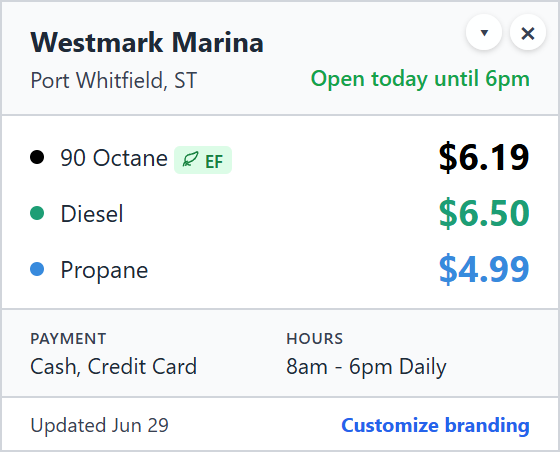
280px wide, gets taller with content
A card that floats in a corner of your site. Put it on every page, or just the ones you pick. Visitors can collapse it to a small pill if they want it out of the way.
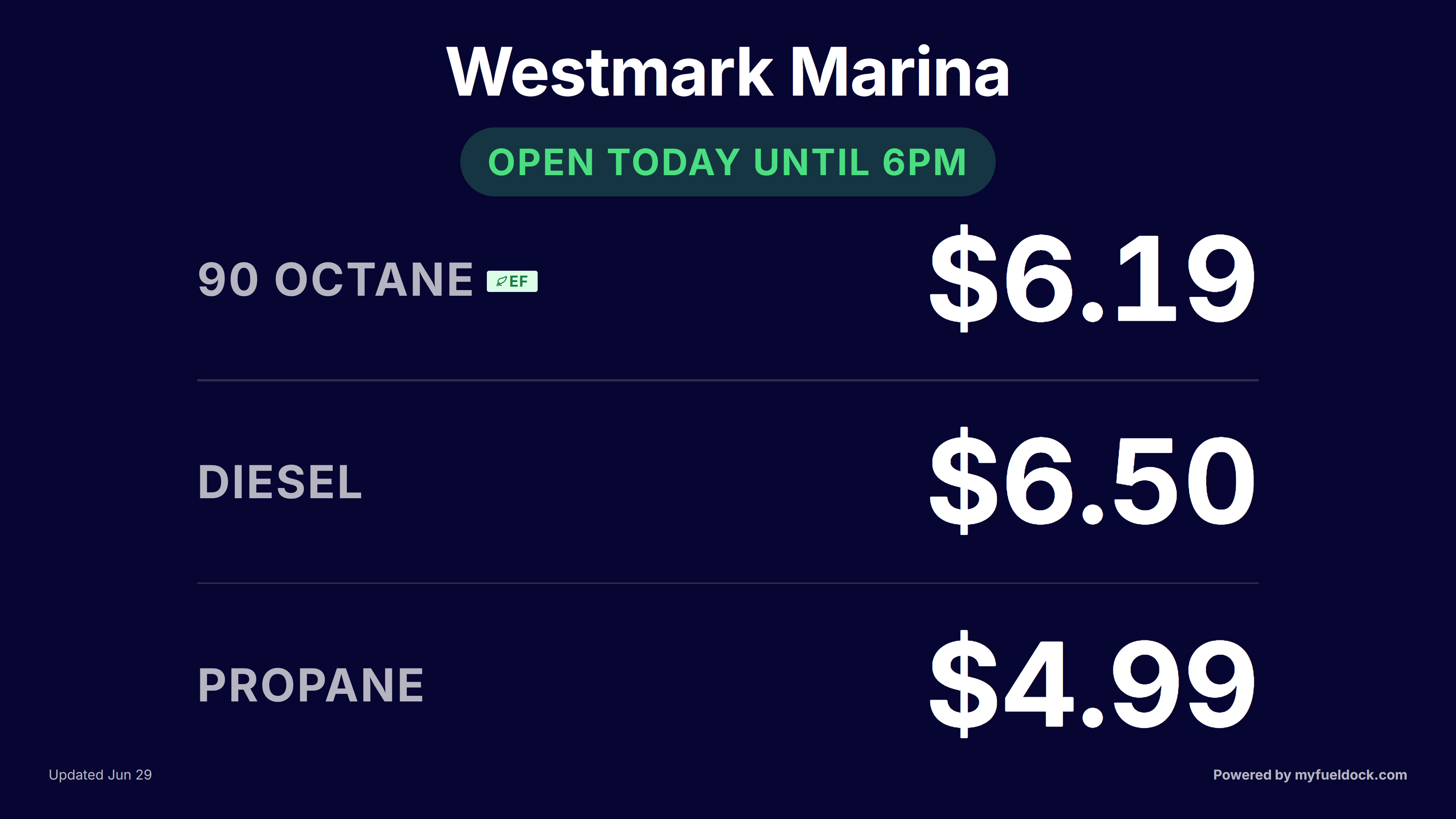
Full screen
The marquee is not embedded on your website; instead it is signage for use on a TV, monitor, or tablet in your marina. Refreshes on its own and works even if your marina doesn't have a website.
One visit from your webmaster, and you control your prices from then on.
Your webmaster pastes the code once. They simply place a small bit of code where the price board should appear on your website. From then on, the changes you make in this portal flow to your live site, with no webmaster needed. That holds whether you are on the free plan or paid, and you can switch between the two anytime without calling them back.
Read the full One Paste Promise →
Pick whichever fits how you actually work.
Sign in at myfueldock.com from any browser, at your desk, your phone, your tablet. Two clicks and the price is updated everywhere.
All plans
Text your price changes to (401) BOAT-GAS(401) BOAT-GAS. Just type naturally (like "gas 4.79, diesel 5.10") and we'll make the update to your price boards. How text updates work.
Quiet features that show up when you need them.
Free accounts get one plain price list. Your paid plan unlocks the whole lineup: a homepage Hero with a photo background, a Banner strip, a Sidebar, a text-only Minimal, a Floating Corner card, a Mobile Sticky Bar for phones, and a full-screen Marquee for a wall TV or tablet at your dock. Use different ones on different pages.
Paid plans drop the daily price-change cap. Embed as many boards as you want: different templates on different pages, or the same board repeated across the site.
When you sign up, the portal reads your marina website and pre-fills the board with your colors. You can override anything you don't like.
Flip the dock to Closed and every board automatically swaps the prices for a clear "Fuel Dock Temporarily Closed" notice. Add a reason if you want.
Closing for storm prep, holiday, or a fuel delivery? Pick the date you'll reopen and the board switches itself back on that morning.
Every change to your prices, hours, status, and settings is recorded with who did it and when. No more "wait, who changed this?"
Invite staff to update prices, or invite your outside webmaster with their own login. Roles let you keep billing and user management to yourself.
Haven't updated prices in a while? The portal pings you so the board never sits on old numbers.
See how many people viewed your board (7 and 30 days) and how many clicked your link (1, 7, and 30 days).
Run more than one location? Use the same email at all of them and switch between marinas from a dropdown in the sidebar.
Paid accounts go to the front of the support queue. Most questions come back the same day.
On a paid plan, pick your own colors, choose which information appears on the board (hours, payment methods, discounts, location, open/closed status, ethanol-free badge), and replace the "Powered by myfueldock.com" footer with your own marina name linking wherever you like.
Two plans. The free one is free for as long as you want it.
$0 always a free option
Everything you need to put live fuel prices on your website.
$19/month or $195/year
Everything in Free, plus:
Pay by credit card or annual check. Cancel any time.
No credit card required. Trial only starts the moment your board goes live.
Free to start. Premium free for 21 days. Cancel any time.
Create your free price board